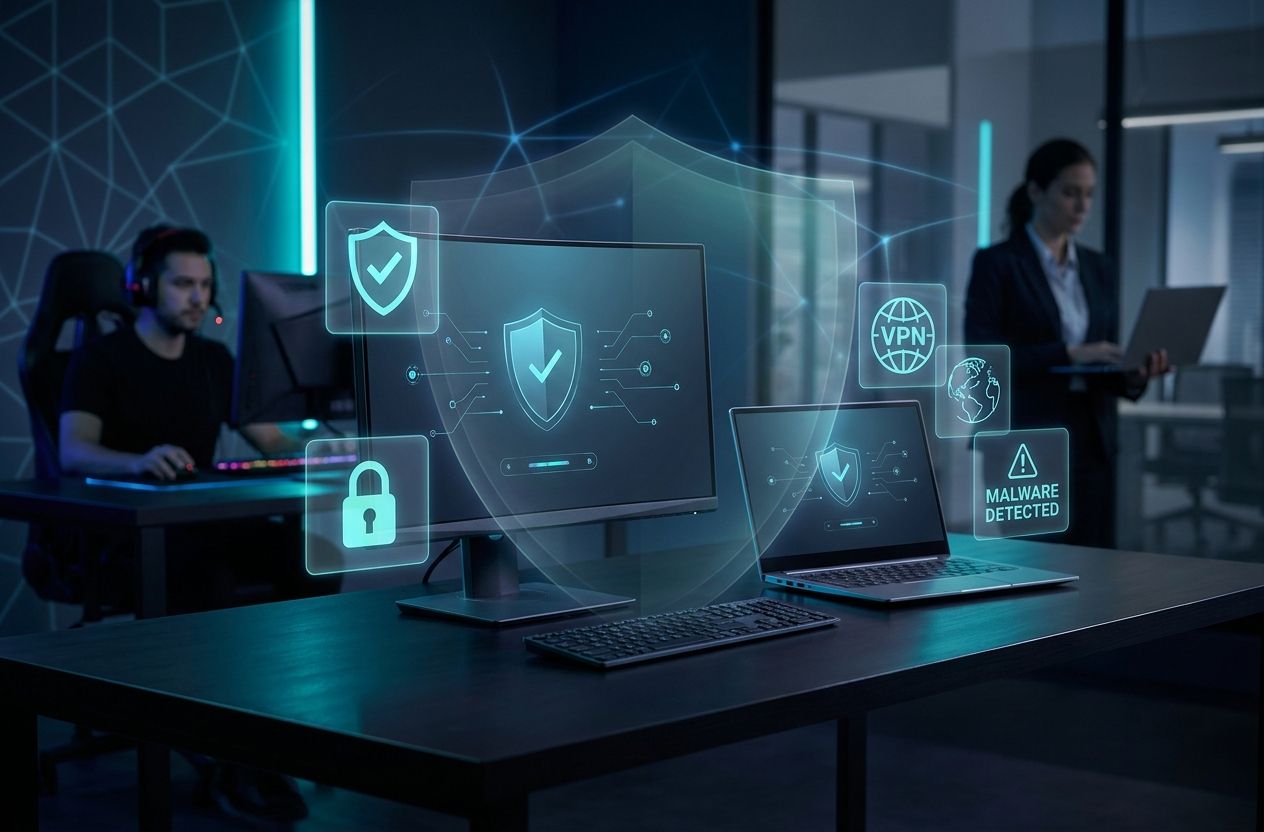
Looking for the best antivirus to protect your PC, laptop or devices? This guide presents an in-depth ranking of the top 10 antivirus programs on the market, comparing features, protection, performance and cost-effectiveness to help you pick the right solution for gamers, professionals and home users.
Why this guide matters?
Cyber threats evolve rapidly. Choosing the best antivirus is about balancing real-time protection, low system impact, and the right feature set for your needs — whether you’re a competitive gamer seeking minimal latency, a remote worker handling sensitive files, or a parent protecting household devices.
How we evaluated the antivirus products
- Protection: Based on independent lab results from AV-TEST and AV-Comparatives and real-world threat blocking.
- Performance: Impact on system resources during scans, background protection and boot times.
- Features: Ransomware protection, firewall, VPN, password manager, parental controls and multi-device support.
- Usability: Installation, interface clarity and customer support.
- Value: Price per device, tiered plans and extra utilities.
We also considered privacy practices and recent vendor history. For further reading on independent testing, visit AV-TEST and AV-Comparatives.
Quick comparison at a glance
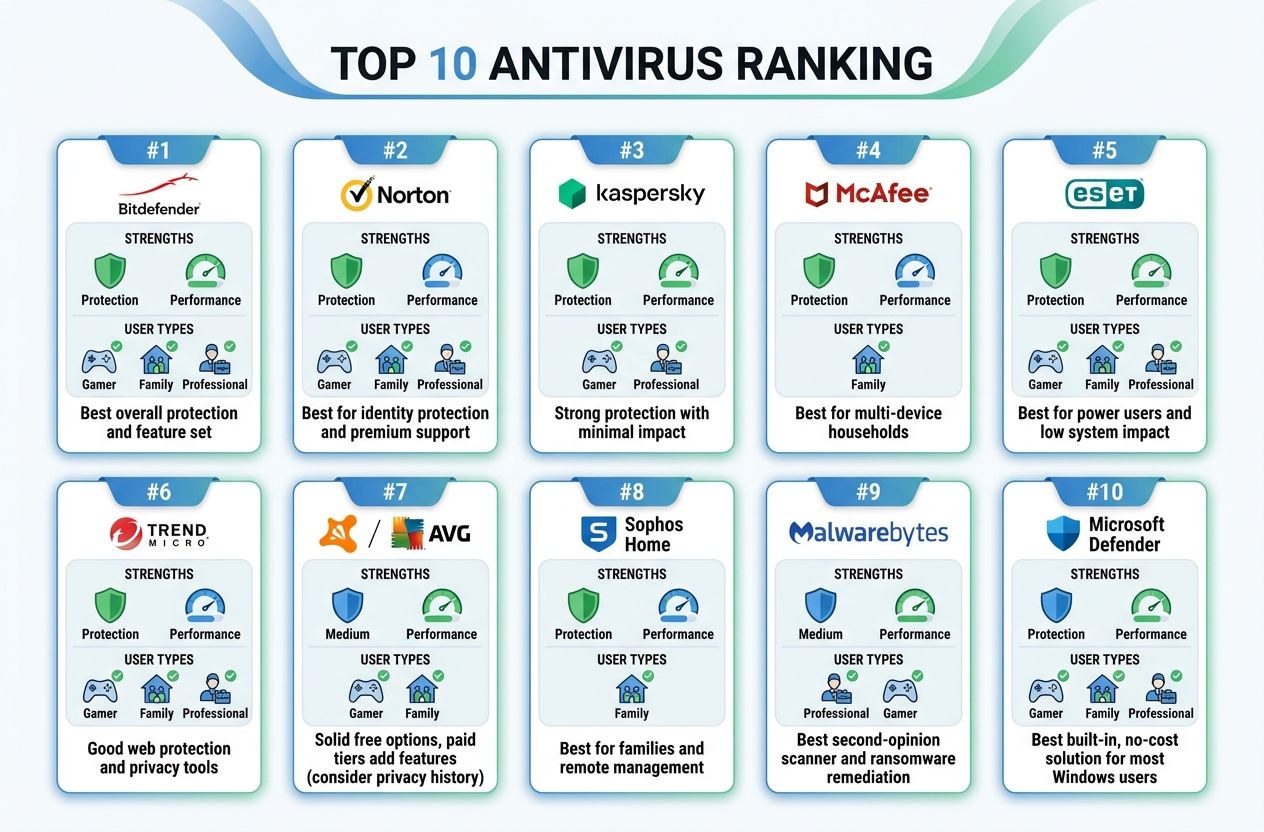
Below is a short summary of the top picks and the primary use case for each. Detailed reviews follow.
- Bitdefender — Best overall protection and feature set
- Norton (Gen Digital) — Best for identity protection and premium support
- Kaspersky — Strong protection with minimal impact
- McAfee — Best for multi-device households
- ESET — Best for power users and low system impact
- Trend Micro — Good web protection and privacy tools
- Avast / AVG (cautious pick) — Solid free options, paid tiers add features (consider privacy history)
- Sophos Home — Best for families and remote management
- Malwarebytes — Best second-opinion scanner and ransomware remediation
- Microsoft Defender — Best built-in, no-cost solution for most Windows users
Top 10 Best Antivirus Reviews
1. Bitdefender — Best overall antivirus in 2026
Overview: Bitdefender consistently ranks at the top for threat detection and offers a comprehensive suite including real-time protection, anti-ransomware, behavioral detection, firewall, VPN, and a password manager.
Protection: Excellent blocking rates in independent tests. Ransomware protections and advanced heuristics reduce zero-day risk.
Performance: Low to moderate system impact thanks to cloud-assisted scanning and optimized background processes.
Features: Multi-layer ransomware protection, secure browser for payments, VPN (limited on basic plans), parental controls.
Pricing & Value: Competitive tiers for single users and families. Frequent discounts make it a strong value choice.
Best for: Users who want a balance of industry-leading protection and a rich feature set for all device types (Windows, macOS, Android).
2. Norton (Gen Digital) — Best for identity protection
Overview: Norton combines strong malware protection with identity theft protection and a high-quality VPN.
Protection: Top-tier detection rates with strong phishing and web protection.
Performance: Generally low impact; occasional heavy scans can use CPU but scheduling reduces interference.
Features: Identity theft monitoring (in select regions), cloud backup, password manager, parental controls and a full VPN on many tiers.
Pricing & Value: Premium pricing for the top-tier plans, but bundled services justify cost for professionals or users needing identity monitoring.
Best for: Professionals and users who want comprehensive protection plus identity theft & privacy tools.
3. Kaspersky — Strong protection, minimal footprint
Overview: Kaspersky delivers excellent detection rates, with a lean interface and strong anti-exploit protections.
Protection: Labs consistently score Kaspersky highly for real-world protection and malware removal.
Performance: Low resource usage, ideal for older hardware or users demanding speed.
Features: Ransomware rollback, secure payment browser, webcam protection and a robust firewall.
Pricing & Value: Mid-range pricing with straightforward plans. Good value for protection-first buyers.
Best for: Users prioritizing detection and low system impact — good for both home users and professionals.
4. McAfee — Best for multi-device households
Overview: McAfee focuses on cross-device coverage with centralized account management for families.
Protection: Very good detection rates in independent testing, with proactive web and phishing protections.
Performance: Moderate impact; newer versions have improved optimization.
Features: Identity protection, VPN, password manager and device optimization tools in higher tiers.
Pricing & Value: Attractive family plans that cover multiple devices at a single price point.
Best for: Families and households with many devices or mixed OS environments.
5. ESET — Best for advanced users and low system impact
Overview: ESET combines fast scanning, a lightweight footprint, and granular configuration options for power users.
Protection: Solid detection rates, strong anti-exploit technology and frequent pattern updates.
Performance: Very low system impact; optimized for gamers and high-performance workflows.
Features: Advanced settings, UEFI scanner, anti-phishing, but fewer bundled extras like VPN in base plans.
Pricing & Value: Reasonable pricing; best value for users who want a performant, configurable solution.
Best for: Gamers, IT professionals and users who prefer granular control and minimal overhead.
6. Trend Micro — Good web protection and privacy tools
Overview: Trend Micro excels at web protection and anti-phishing, with a user-friendly interface.
Protection: Very good phishing and web threat blocking; strong behavior-based detection for new threats.
Performance: Moderate; some scans may be more resource-intensive than competitors.
Features: Pay Guard for secure browsing, social media privacy tools, parental controls and a basic VPN on higher tiers.
Pricing & Value: Competitive pricing and frequent promotions.
Best for: Users who spend a lot of time browsing and need strong web protections.
7. Avast / AVG — Free and paid options (use with caution)
Overview: Avast and AVG (owned by the same group) offer strong free antivirus options. However, privacy controversies in prior years mean users should read current privacy policies carefully.
Protection: Good detection rates in real-world tests; paid tiers add behavioral shields.
Performance: Low to moderate; modern versions are more streamlined.
Features: Free protection, basic firewall, browser protection. Paid tiers add VPN and advanced privacy tools.
Pricing & Value: Free tier is generous; paid plans are affordable.
Best for: Casual users looking for free protection or affordable paid upgrades — weigh privacy trade-offs.
8. Sophos Home — Best for families and remote management
Overview: Sophos Home brings enterprise-grade protection to household users with a cloud-managed dashboard for multiple devices.
Protection: Strong detection rates with a focus on web filtering and parental controls.
Performance: Low impact due to efficient background processes.
Features: Remote management, family web filtering, ransomware detection and privacy protection.
Pricing & Value: Excellent value for families who want centralized control across devices.
Best for: Parents and households that need to manage several devices remotely.
9. Malwarebytes — Best second-opinion scanner and ransomware remediation
Overview: Malwarebytes is a specialist in malware removal and ransomware remediation rather than a full endpoint suite (though premium tiers add real-time protection).
Protection: Excellent at cleaning infections and blocking advanced threats; real-time protection has improved.
Performance: Lightweight and fast scans.
Features: Anti-exploit, anti-ransomware, and remediation tools. Better as a complement to full AV suites.
Pricing & Value: Affordable; best value as a layered defense or remediation tool.
Best for: Users who already have an AV but want a robust second-opinion scanner or remediation utility.
10. Microsoft Defender — Best built-in no-cost antivirus for Windows
Overview: Microsoft Defender has improved dramatically and now offers strong baseline protection integrated into Windows 10/11.
Protection: Solid detection rates in modern tests for typical threats; integrates tightly with Windows security stack.
Performance: Optimized for Windows with minimal overhead.
Features: Real-time protection, cloud-delivered updates, controlled folder access for ransomware defense, and firewall integration.
Pricing & Value: Free with Windows — excellent value for users who practice safe browsing and need basic protection.
Best for: Casual users and those who prefer a no-cost, well-integrated solution without extra bells and whistles.
How to choose the best antivirus for your needs
Choosing the best antivirus depends on your specific priorities. Consider these decision points:
- Protection priority: If you want maximum threat detection and multi-layered ransomware defense, prioritize vendors with top lab results (Bitdefender, Kaspersky, Norton).
- Performance and gaming: If low latency and minimal CPU usage matter, choose solutions known for light footprints (ESET, Kaspersky, Microsoft Defender).
- Multi-device coverage: For families or many devices, look for generous multi-device plans (McAfee, Bitdefender, Norton).
- Privacy & identity: Professionals handling sensitive data should prefer vendors with strong identity protection services (Norton) and transparent privacy policies.
- Budget: Free solutions like Microsoft Defender or Avast/AVG can be sufficient for many users; paid tiers add value if you need VPNs, cloud backups, or identity monitoring.
- Compatibility: Verify macOS, Android and iOS support if you use mixed devices.
Special recommendations by user profile
- Gamers: ESET or Bitdefender for low impact and gaming modes that reduce pop-ups and scans during play.
- Professionals / Remote workers: Norton or Bitdefender for identity protection, secure VPN and cloud backup options.
- Home users / families: McAfee or Sophos Home for centralized multi-device protection and parental controls.
- Advanced users / IT pros: ESET for configurability, or Kaspersky for tight detection with minimal overhead.
- Budget-conscious users: Microsoft Defender for baseline protection; consider Malwarebytes free for cleanup.
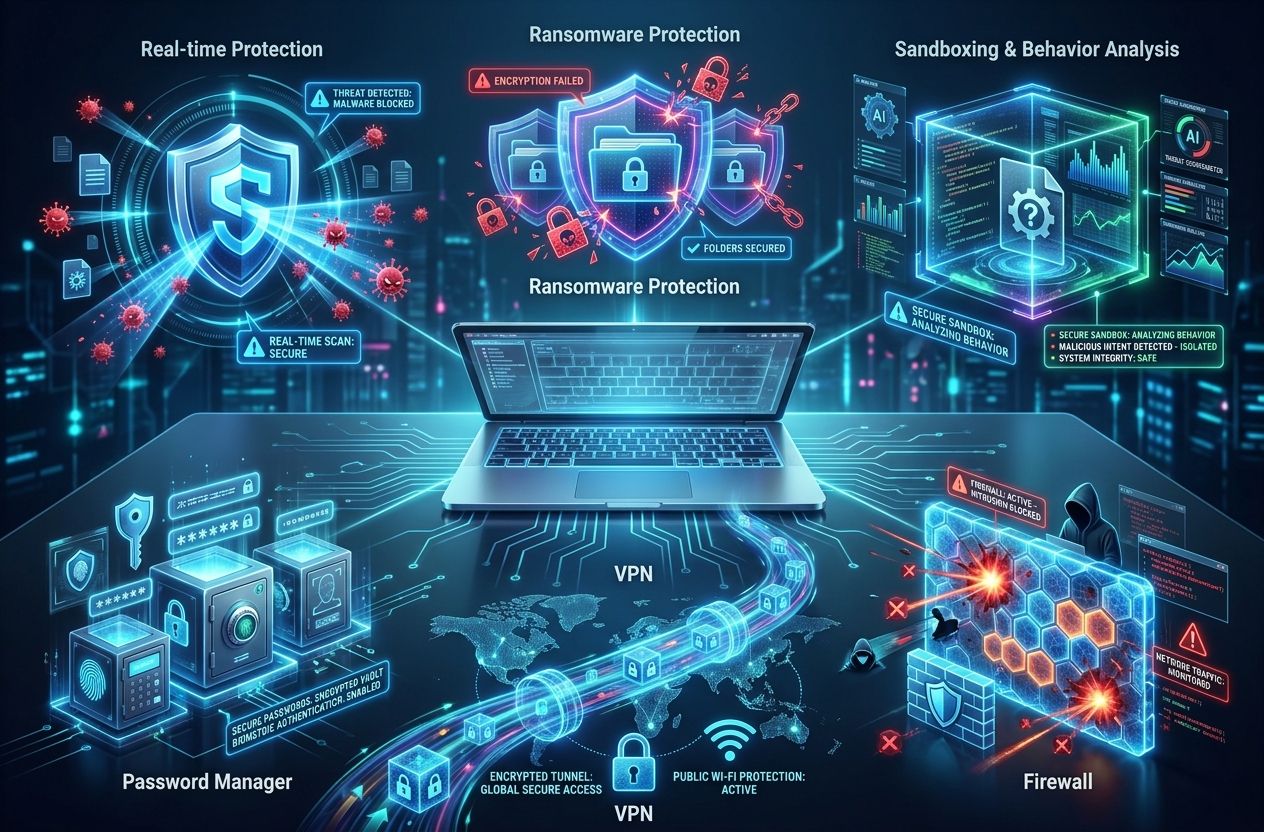
Common antivirus features explained
Knowing what key features do helps you pick the right plan:
- Real-time protection: Scans files and processes as they run to block malware instantly.
- Ransomware protection: Monitors and blocks unauthorized encryption behavior and locks down sensitive folders.
- Sandboxing & behavior analysis: Runs suspicious code in an isolated environment to identify threats without risking your system.
- VPN: Encrypts your internet connection on public Wi‑Fi. Not all VPNs bundled with antivirus are equal — evaluate independently.
- Password manager: Stores credentials securely and can improve security hygiene.
- Firewall: Controls inbound/outbound traffic; useful when combined with AV rules.
Installation & best practices
- Keep your OS and applications updated — many attacks exploit outdated software.
- Install one primary antivirus — running multiple real-time engines can cause conflicts. Use a second-opinion scanner (Malwarebytes) for periodic checks.
- Enable automatic updates for the antivirus and virus definitions.
- Back up critical data using cloud or offline backups to mitigate ransomware risk.
- Use strong, unique passwords and a password manager included with many security suites.
- Be cautious with attachments and links — phishing remains the top attack vector.
Frequently asked questions (FAQ)
Do I still need antivirus if I use Microsoft Defender?
For many users, Microsoft Defender provides adequate baseline protection. However, power users, professionals who handle sensitive data, and those wanting advanced features (VPN, identity monitoring, parental controls) will benefit from a premium suite.
Can antivirus software slow down my PC?
Modern antivirus solutions are optimized for minimal impact, but full system scans and resource-intensive features (cloud backup, VPN) can consume CPU and disk I/O. Choose solutions known for low overhead if performance is critical.
Is free antivirus enough?
Free AV can be adequate for casual users who practice safe browsing. Paid tiers add extra protection layers useful for professionals, gamers, and families.
Further resources
- AV-TEST — Independent malware protection tests
- AV-Comparatives — Performance and protection reports
- PCMag — Expert software reviews
Conclusion
Picking the best antivirus comes down to balancing protection, performance and features. For most users, Bitdefender and Norton provide the most complete protection and features. Gamers and advanced users may prefer ESET for performance, while families might favor McAfee or Sophos Home for multi-device management.
Always cross-check current independent test results from AV-TEST and AV-Comparatives before purchasing, and consider trial periods to evaluate real-world performance on your specific hardware.